Hi @nittamaya,
For the legacy website, maybe try Google login?
For the new website, you can still download CIFs via the following procedure:
-
Go to the material detail page of interest, e.g. mp-149: Si (Cubic, Fd-3m, 227) (or https://next-gen.materialsproject.org/materials/mp-149 if you want to make sure you’re going to the new website)
-
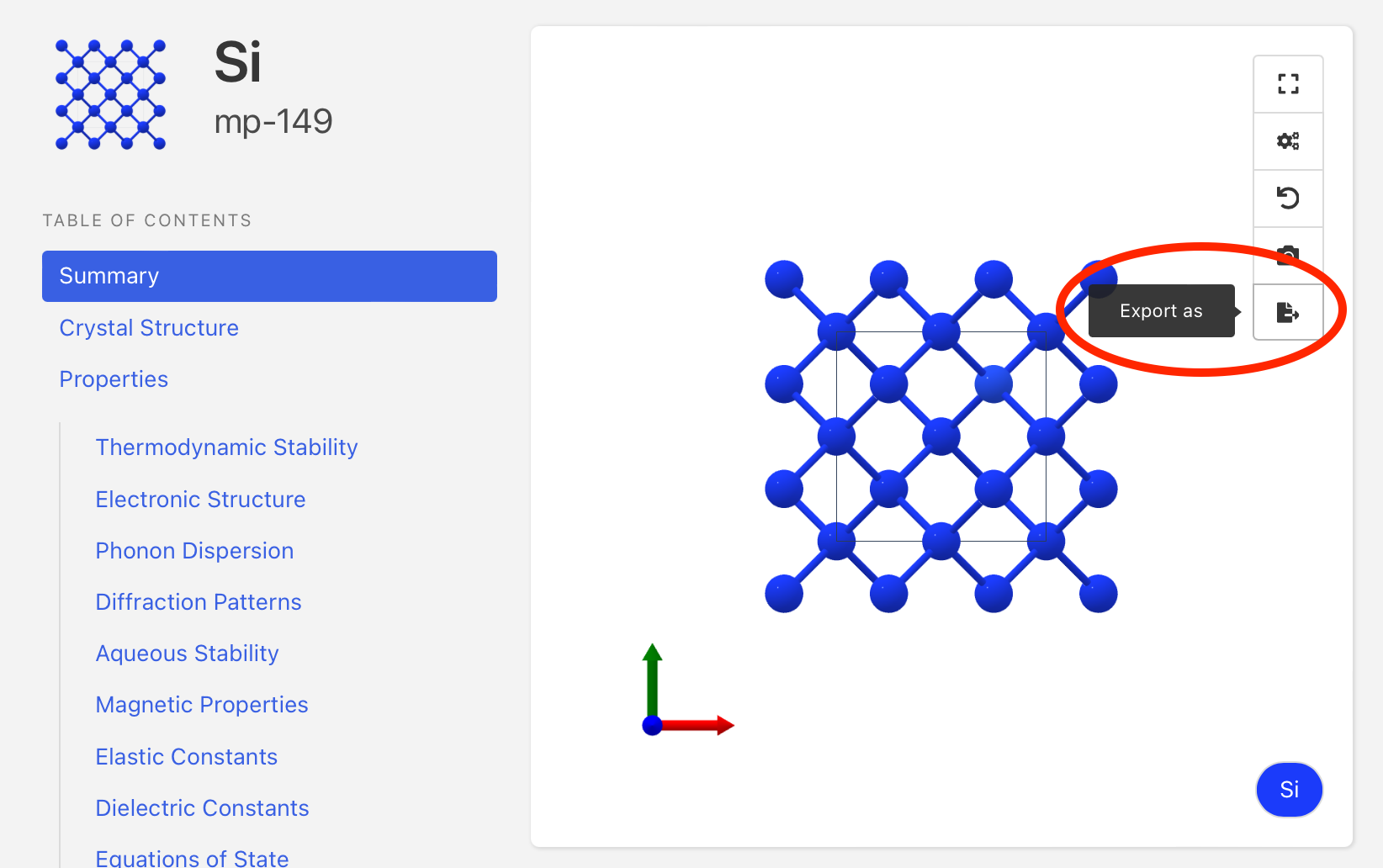
Click the “Export As” button shown here:
- Then select the filetype you wish to download:
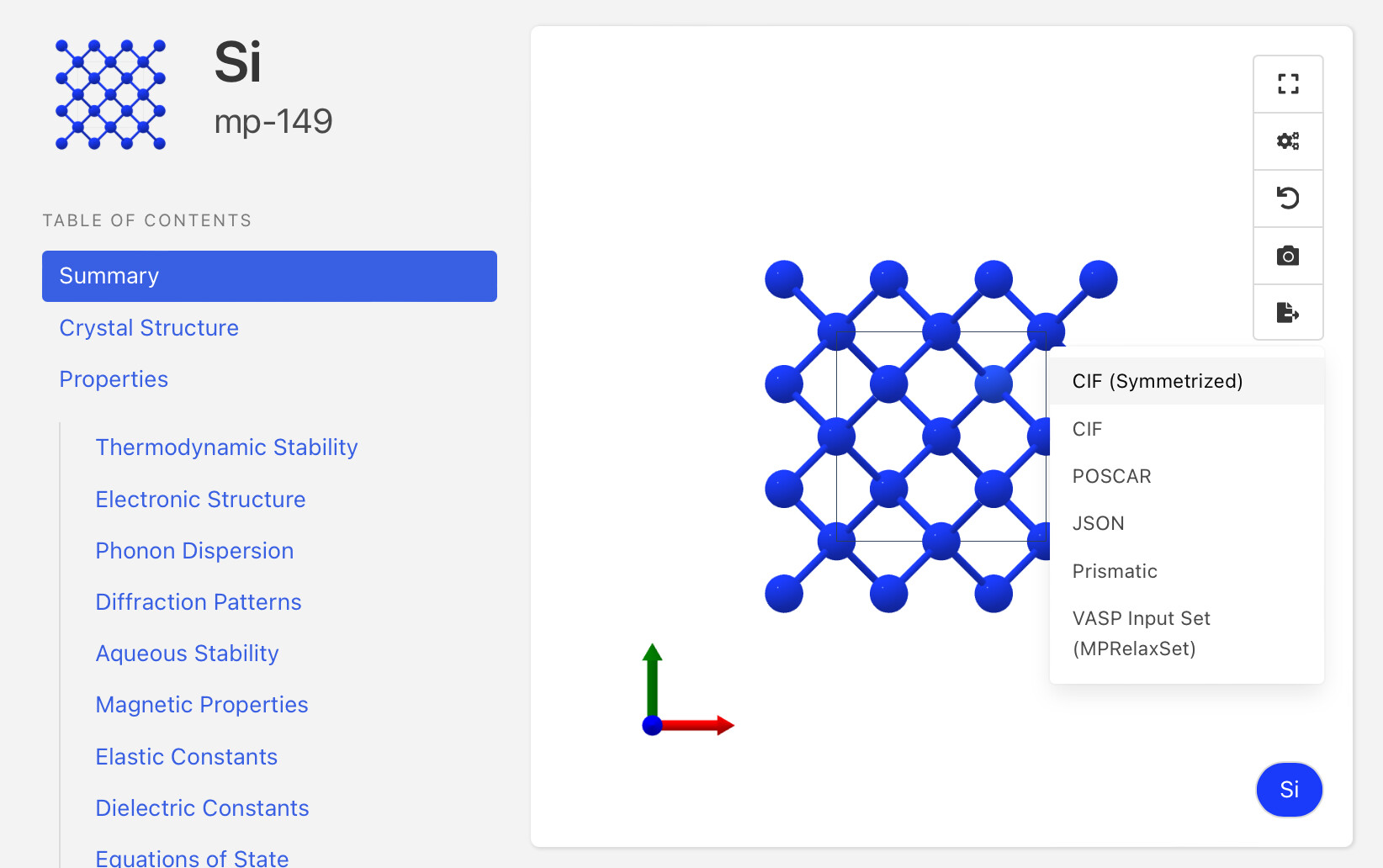
This is a brief tutorial, I can add an extended explanation to our documentation, including what the different CIF options represent and how to access them.
Hope this helps!
Matt