Hi,
Is there a simple way to rescale region ... block ... when running a NPT or NPH simulation, to preserve its dimensions and location in reduced units?
E.g. if a box z coordinate is [0,1) in reduced units, I would like my region to always be a slab in [0.0,0.1), that is it adapts to the cell rescale operated by the barostat.
Since the region is “statically” defined, unless move is used, I guess that using units lattice wouldn’t work (or maybe it does?). Or maybe move NULL NULL NULL (a dummy move that actually does nothing) could work? Or maybe there’s no smart way and I need to constantly re-define the region in a loop?
How about using variable references for the xlo, xhi, ylo, yhi, zlo, and zhi values?
No need to move or rotate with that.
Hi Axel, I am already doing that:
variable regWidth equal 10.0
variable zloDyn equal zlo
variable zhiDyn equal zhi
variable zInLow equal v_zloDyn+0.5*v_regWidth
variable zInHigh equal v_zhiDyn-0.5*v_regWidth
variable zOutLow equal 0.5*(v_zloDyn+v_zhiDyn)-0.5*v_regWidth
variable zOutHigh equal 0.5*(v_zloDyn+v_zhiDyn)+0.5*v_regWidth

region regionIn1 block EDGE EDGE EDGE EDGE v_zloDyn v_zInLow units box
region regionIn2 block EDGE EDGE EDGE EDGE v_zInHigh v_zhiDyn units box
region regionIn union 2 regionIn1 regionIn2 units box
region regionOut block EDGE EDGE EDGE EDGE v_zOutLow v_zOutHigh units box
Tha documentation states that unless move is used:
Normally, regions in LAMMPS are “static”, meaning their geometric extent does not change with time.
I interpreted as: the boundaries are evaluated and set at the beginning of the run, and never updated. Are you saying that they are actually dynamically updated?
You should be able to confirm that by setting up a small test example and using dump image to visualize the result. The documentation clearly says that the block region boundaries may be variables.
I think the phrase in the manual is outdated. The support for variable references was added gradually over time and perhaps people didn’t notice to update all of the manual. The move and rotate options are rather recent and were mostly added with the intent of having moving boundaries for discrete element modeling, e.g. a rod acting as a mixer of a material.
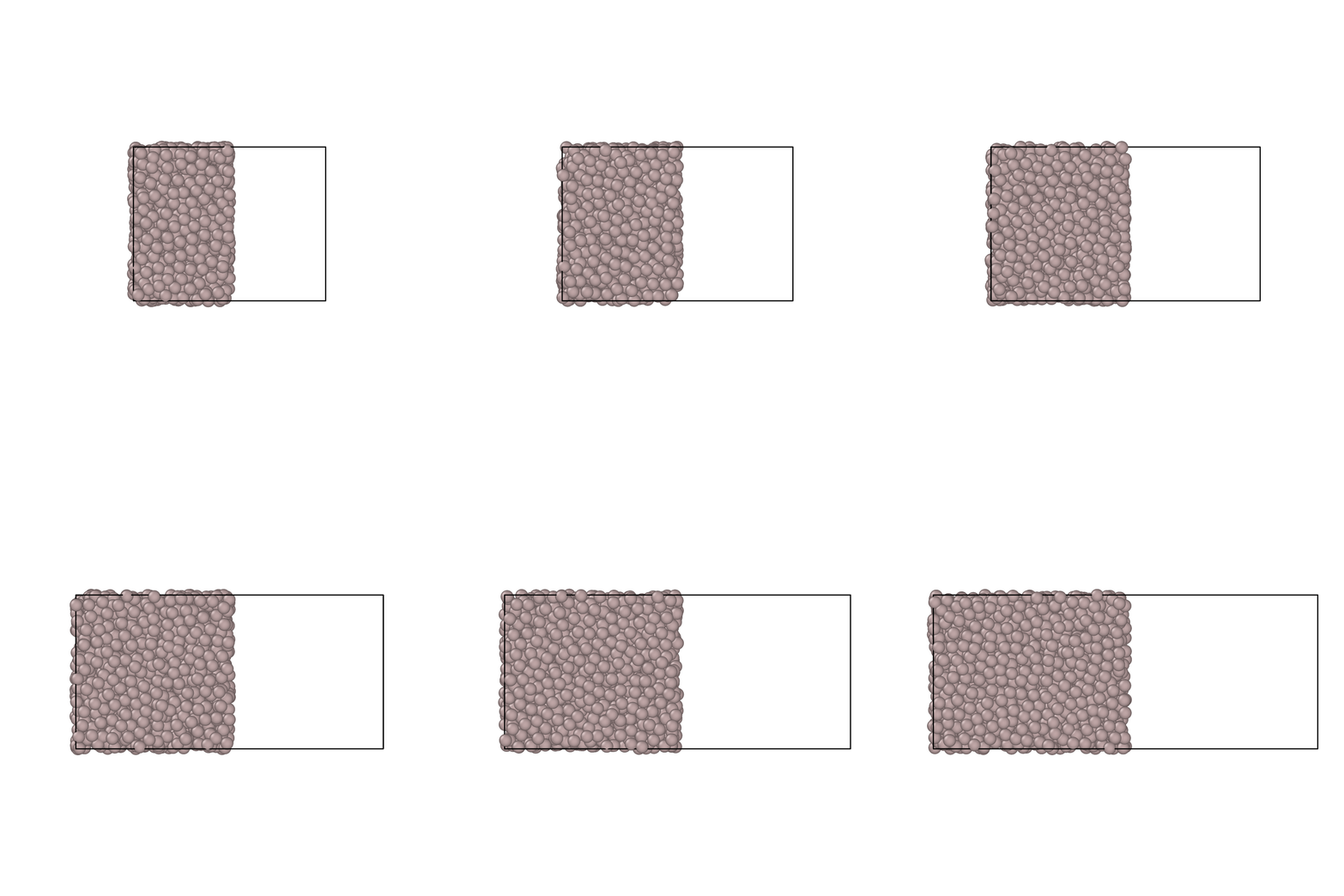
Yes, it seems to work:
reset_timestep 0

variable xloDyn equal xlo
variable xhiDyn equal xhi
variable regWidth equal 0.5*(v_xhiDyn-v_xloDyn)
variable xInLow equal v_xloDyn+v_regWidth
region regionMonitor block v_xloDyn v_xInLow EDGE EDGE EDGE EDGE units box
group groupMonitor dynamic all region regionMonitor

dump        d1 groupMonitor custom 1000 deform_system.dump id type x y z xu yu zu vx vy vz
dump_modify d1 element Al

fix     eq all nvt temp ${Tref} ${Tref} 1.0
fix     def all deform 1 x scale 2.0 y scale 0.5
run     100000
Tref = 1200 K, I am simulating a liquid (Al) to make sure that the region is “Eulerian” and not “Lagrangian” (if that makes sense).
1 Like