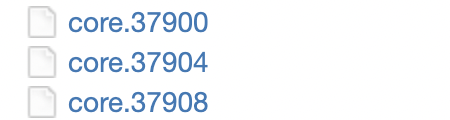
I am trying to make an ion irradiation run on a supercomputer of my university. So I started with a W supercell with 7685 atoms. I started with energy minimization input file and then used the output of it to thermalize the system at 300 K and then I wanted to open the system from the Z direction. My supervisor asked me to change the boundaries of the z direction by -5 from zlo and +30 from zhi so that we can shoot trajectories from above the surface atoms. The problem is that when I open the system and use NVE to relax the system, the simulation crashes and causes a memory issue. I troubled shooting to try to understand the problem, I found that the problem is with the “zlo” boundary. I tried to make it -1.5 zlo and the relaxation was done. I tried different values from -2 to -5 zlo and it all crashed.
units real
atom_style charge
boundary p p f
############################################################ #BCC structure
read_data thermal.dat
##########################################################
pair_style reax/c NULL checkqeq no
pair_coeff * * ./ffield W #fix 1 all qeq/reax 1 0.0 10.0 1.0e-6 reax/c # for the charging info
##########################################################
Output Configuration
Compute the energy per atom
Output x, y, z of atom LAMMPS standar format
#thermo_modify lost ignore flush yes
dump 2 all xyz 200 w300r.xyz dump 10 all xyz 1000 wjmol.xyz #write_data w4.lmp dump 3 all custom 500 form.dat id type q x y z dump 4 all custom 500 velocity.dat id vx vy vz
#############################################################
Dynamics
############################################################# #fix 5 butt setforce 0.0 0.0 0.0
###########################################
thermo 500
timestep 0.5
thermo_style custom step ke etotal temp
thermo_modify lost ignore flush yes
fix NVT all nvt temp 300.0 300.0 50.0
run 10000
NVE integration to update position and velocity for atoms in the group each timestep.
unfix NVT
fix 2 all nve #velocity all scale 300.0
run 20000
write_data w4.lmp
Pbs file:
#!/bin/bash #PBS -A open #PBS -l walltime=03:00:00 #PBS -l nodes=2:ppn=8 #PBS -j oe #PBS -N pmi_wh_relax
Impossible to say from the information provided.
We also need to see the content of the “datar.dat” file and the output from your batch system (typically that would be two files named pmi_wh_relax.e##### and pmi_wh_relax.o##### where ##### is a number corresponding to the job id of the particular job.
/var/spool/torque/mom_priv/jobs/38281305.torque01.util.production.int.aci.ics.psu.edu.SC: line 27: syntax error near unexpected token done' /var/spool/torque/mom_priv/jobs/38281305.torque01.util.production.int.aci.ics.psu.edu.SC: line 27: done’
data.dat
LAMMPS (3 Mar 2020)
using 1 OpenMP thread(s) per MPI task
Reading data file …
orthogonal box = (-0.5 -0.5 -2.5) to (34.8 34.8 134)
2 by 2 by 4 MPI processor grid
reading atoms …
7986 atoms
reading velocities …
7986 velocities
read_data CPU = 0.0486756 secs
WARNING: Changed valency_val to valency_boc for X (../reaxc_ffield.cpp:315)
Neighbor list info …
update every 1 steps, delay 10 steps, check yes
max neighbors/atom: 2000, page size: 100000
master list distance cutoff = 12
ghost atom cutoff = 12
binsize = 6, bins = 6 6 23
1 neighbor lists, perpetual/occasional/extra = 1 0 0
(1) pair reax/c, perpetual
attributes: half, newton off, ghost
pair build: half/bin/newtoff/ghost
stencil: half/ghost/bin/3d/newtoff
bin: standard
Setting up Verlet run …
Unit style : real
Current step : 0
Time step : 0.5
Per MPI rank memory allocation (min/avg/max) = 36.09 | 90.96 | 124.7 Mbytes
Step KinEng TotEng Temp
0 7175.6537 -1565884.7 301.47566
500 7557.4924 -1566666.8 317.51811
1000 6965.243 -1567701.6 292.63553
1500 6992.4782 -1568203.8 293.77978
2000 7382.3586 -1568895.7 310.16009
2500 7277.0825 -1569670.7 305.73706
3000 6922.9652 -1569454.3 290.85928
3500 7157.462 -1568827.5 300.71136
4000 7505.7321 -1568334.4 315.34346
===================================================================================
= BAD TERMINATION OF ONE OF YOUR APPLICATION PROCESSES
= RANK 0 PID 2092 RUNNING AT comp-hc-0001
= KILLED BY SIGNAL: 9 (Killed)
===================================================================================
= BAD TERMINATION OF ONE OF YOUR APPLICATION PROCESSES
= RANK 1 PID 2093 RUNNING AT comp-hc-0001
= KILLED BY SIGNAL: 9 (Killed)
===================================================================================
= BAD TERMINATION OF ONE OF YOUR APPLICATION PROCESSES
= RANK 2 PID 2094 RUNNING AT comp-hc-0001
= KILLED BY SIGNAL: 9 (Killed)
===================================================================================
= BAD TERMINATION OF ONE OF YOUR APPLICATION PROCESSES
= RANK 3 PID 2095 RUNNING AT comp-hc-0001
= KILLED BY SIGNAL: 9 (Killed)
===================================================================================
= BAD TERMINATION OF ONE OF YOUR APPLICATION PROCESSES
= RANK 4 PID 2096 RUNNING AT comp-hc-0001
= KILLED BY SIGNAL: 9 (Killed)
===================================================================================
= BAD TERMINATION OF ONE OF YOUR APPLICATION PROCESSES
= RANK 5 PID 2097 RUNNING AT comp-hc-0001
= KILLED BY SIGNAL: 9 (Killed)
===================================================================================
= BAD TERMINATION OF ONE OF YOUR APPLICATION PROCESSES
= RANK 6 PID 2098 RUNNING AT comp-hc-0001
= KILLED BY SIGNAL: 9 (Killed)
===================================================================================
= BAD TERMINATION OF ONE OF YOUR APPLICATION PROCESSES
= RANK 7 PID 2099 RUNNING AT comp-hc-0001
= KILLED BY SIGNAL: 11 (Segmentation fault)
===================================================================================
= BAD TERMINATION OF ONE OF YOUR APPLICATION PROCESSES
= RANK 8 PID 2100 RUNNING AT comp-hc-0001
= KILLED BY SIGNAL: 9 (Killed)
===================================================================================
= BAD TERMINATION OF ONE OF YOUR APPLICATION PROCESSES
= RANK 9 PID 2101 RUNNING AT comp-hc-0001
= KILLED BY SIGNAL: 9 (Killed)
===================================================================================
= BAD TERMINATION OF ONE OF YOUR APPLICATION PROCESSES
= RANK 10 PID 2102 RUNNING AT comp-hc-0001
= KILLED BY SIGNAL: 9 (Killed)
===================================================================================
= BAD TERMINATION OF ONE OF YOUR APPLICATION PROCESSES
= RANK 11 PID 2103 RUNNING AT comp-hc-0001
= KILLED BY SIGNAL: 9 (Killed)
===================================================================================
= BAD TERMINATION OF ONE OF YOUR APPLICATION PROCESSES
= RANK 12 PID 2104 RUNNING AT comp-hc-0001
= KILLED BY SIGNAL: 9 (Killed)
===================================================================================
= BAD TERMINATION OF ONE OF YOUR APPLICATION PROCESSES
= RANK 13 PID 2105 RUNNING AT comp-hc-0001
= KILLED BY SIGNAL: 9 (Killed)
===================================================================================
= BAD TERMINATION OF ONE OF YOUR APPLICATION PROCESSES
= RANK 14 PID 2106 RUNNING AT comp-hc-0001
= KILLED BY SIGNAL: 9 (Killed)
===================================================================================
= BAD TERMINATION OF ONE OF YOUR APPLICATION PROCESSES
= RANK 15 PID 2107 RUNNING AT comp-hc-0001
= KILLED BY SIGNAL: 9 (Killed)
This is an error from ReaxFF. Difficult to say whether this is due to the ReaxFF implementation or due to you not using it correctly. Since your version of LAMMPS is quite old and we did some fixes and updates to the ReaxFF implementation since, you may want to consider updating to the latest LAMMPS version.
Another thing to try is to compile a LAMMPS version with the KOKKOS package enabled for Serial (or OpenMP). The memory management in the LAMMPS ReaxFF implementation is very sensitive to significant changes in the geometry. The KOKKOS version has a more robust memory management.
There are some parameters like “safezone” that you can boost to make it more tolerant.