@akohlmey I’m not sure where to start with this: I’ve done a fresh download of VMD 2.0.0’s release binary but can’t … find … the main window. Here’s what my desktop looks like:
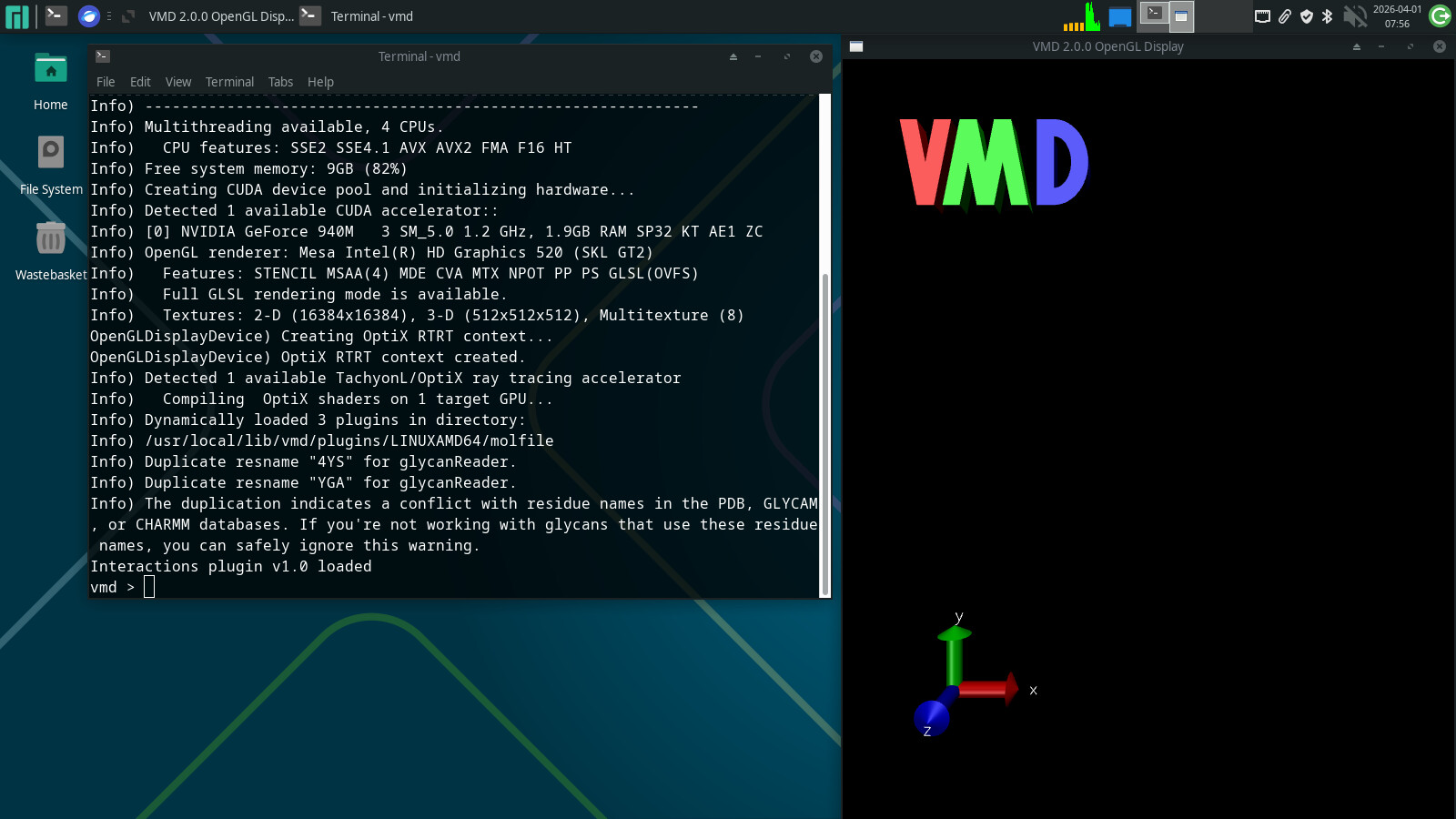
Funky business in the window manager. I’m not sure why vmd’s client machine is different:
$ wmctrl -m
Name: Xfwm4
Class: xfwm4
PID: 2727
Window manager's "showing the desktop" mode: N/A

$ wmctrl -l
0x01000003 -1 hppav xfce4-panel
0x01600069 -1 hppav Desktop
0x03e00003  0 hppav Terminal - vmd
0x03c00009  0   N/A VMD 2.0.0 OpenGL Display ## why "N/A"??
0x04800017  0 hppav Can't find VMD's Main Window - Science Talk - Materials Science Community Discourse — Mozilla Firefox
0x03e002ed  0 hppav Terminal - sherntee@hppav:~
Key info (but not sure what else to add):
$ uname -a
Linux NODENAME 6.18.18-1-MANJARO #1 SMP PREEMPT_DYNAMIC Fri, 13 Mar 2026 18:47:36 +0000 x86_64 GNU/Linux

$ cat /etc/lsb-release
DISTRIB_ID="ManjaroLinux"
DISTRIB_RELEASE="26.0.4"
DISTRIB_CODENAME="Anh-Linh"
DISTRIB_DESCRIPTION="Manjaro Linux"
Even more debug info:
$ modinfo $(modprobe --resolve-alias nvidia)
filename:       /lib/modules/6.18.18-1-MANJARO/extramodules/nvidia.ko.zst
alias:          char-major-195-*
version:        575.64.05
supported:      external
license:        NVIDIA
firmware:       nvidia/575.64.05/gsp_tu10x.bin
firmware:       nvidia/575.64.05/gsp_ga10x.bin
srcversion:     0BFD387C1B8EBB5F7A34F54
...
depends:
name:           nvidia
retpoline:      Y
vermagic:       6.18.18-1-MANJARO SMP preempt mod_unload

$ modinfo i915
filename:       /lib/modules/6.18.18-1-MANJARO/kernel/drivers/gpu/drm/i915/i915.ko.zst
license:        GPL and additional rights
description:    Intel Graphics
author:         Intel Corporation
author:         Tungsten Graphics, Inc.
...
depends:        drm_display_helper,video,ttm,cec,intel-gtt,drm_buddy,i2c-algo-bit
intree:         Y
name:           i915
retpoline:      Y
vermagic:       6.18.18-1-MANJARO SMP preempt mod_unload
...