I have recently been calculating the lattice constants of some bulk structures and comparing them with the results on the MP. However, the magnetic FCC Fe calculation results are different from those recorded on the MP (MP-150). I wanted to look at the VASP input file for MP calculations to find difference, but didn’t know where to look. I remember that the old version of the web APP could enter a database to view the VASP input file, but I could not find the corresponding entrance in the new version of the APP. These VASP input files (INCAR, POSCAR…), can I still access it now? If so, how to access it?
Hi, yes these files are still accessible through the web interface. On the interactive structure, there’s an “export as” button that allows you to download different files. To get the INCAR, download the VASP Input Set.
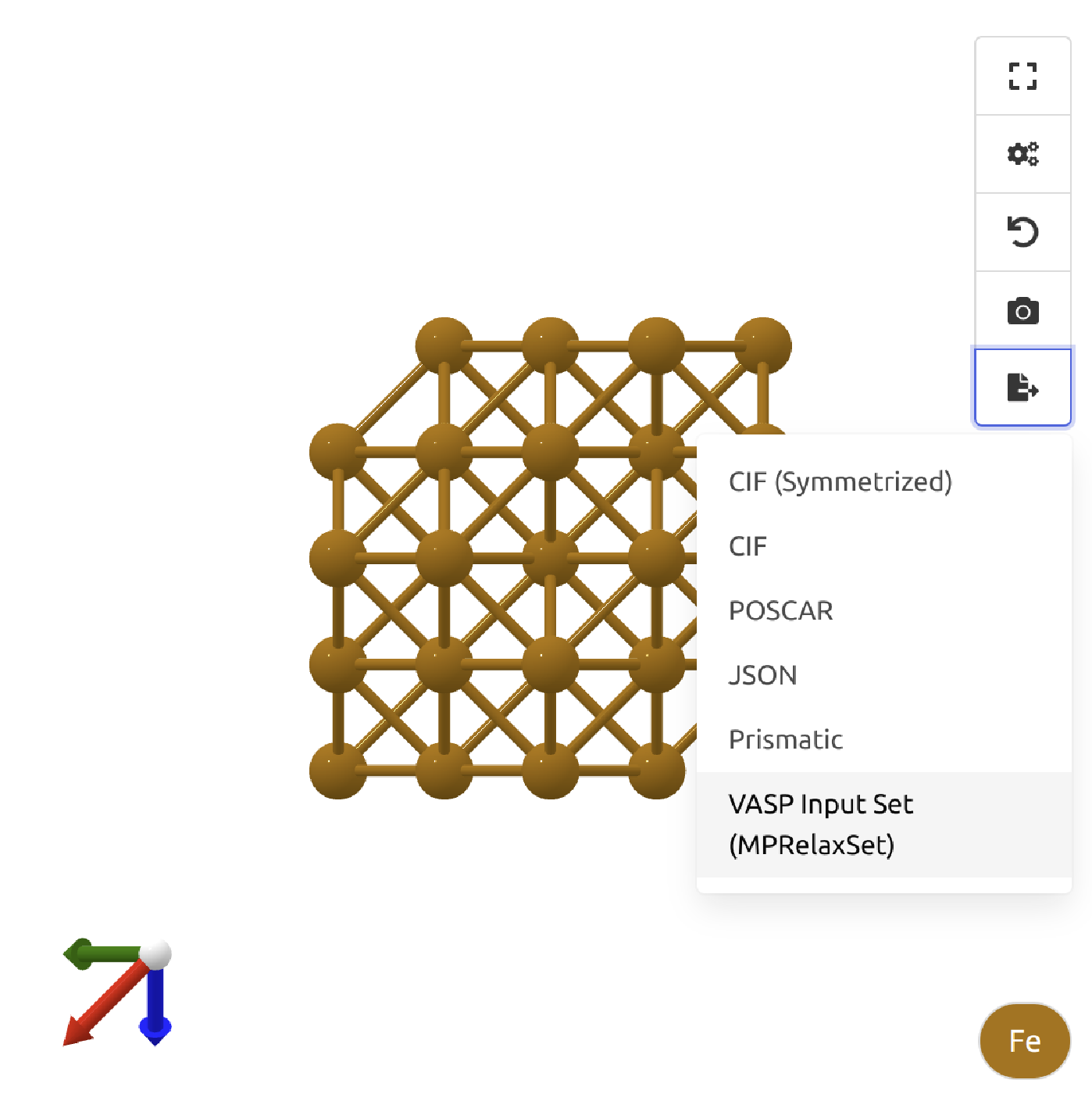
Hi there.
If it helps, it’s actually possible to get access to all the calculations performed clicking More/Calculations.
1 Like
Hi, when I clicked on More/Calculations, I was confused about the different categories. I know that the relevant input files for structural optimization can be found in the “GGA Structure Optimization” section. However, when I wanted to find the input files for the density of states or band structure calculations, I didn’t know which part to click. Could you please explain the functions of each different part?
Thank you!
Multiple calculations typically go into making one material document. Sometimes a GGA Structure Optimization task is the primary one representing the relaxed structure, sometimes a r2SCAN Structure Optimization task is the primary one
You can see which tasks are used for the DOS and bandstructure calculations more easily using our python client mp_api:
from mp_api.client import MPRester

with MPRester() as mpr:
    es = mpr.materials.electronic_structure.search(material_ids=["mp-149"])[0]

band_structure_tasks = {
    getattr(
        getattr(es.bandstructure,k,None),"task_id",None
    ) for k in (
        "setyawan_curtarolo", "hinuma", "latimer_munro"
    )
    if getattr(es.bandstructure,k,None) is not None
}

dos_tasks = {
    entry.task_id
    for entry in es.dos.total.values()
    if entry is not None
}
You can then either get the input sets from the website using those task IDs, or again use the python client:
tasks = MPRester().materials.tasks.search(task_ids = list(band_structure_tasks.union(dos_tasks)))
For each TaskDoc in tasks, there should be an input.incar, input.kpoints, input.potcar, and input.potcar_spec that you can use to reconstruct the VASP inputs
1 Like
Thank you for your reply!
But I don’t have the python client mp_api yet. Can I see which tasks are used for the DOS and bandstructure calculations directly on the website?
Thank you!
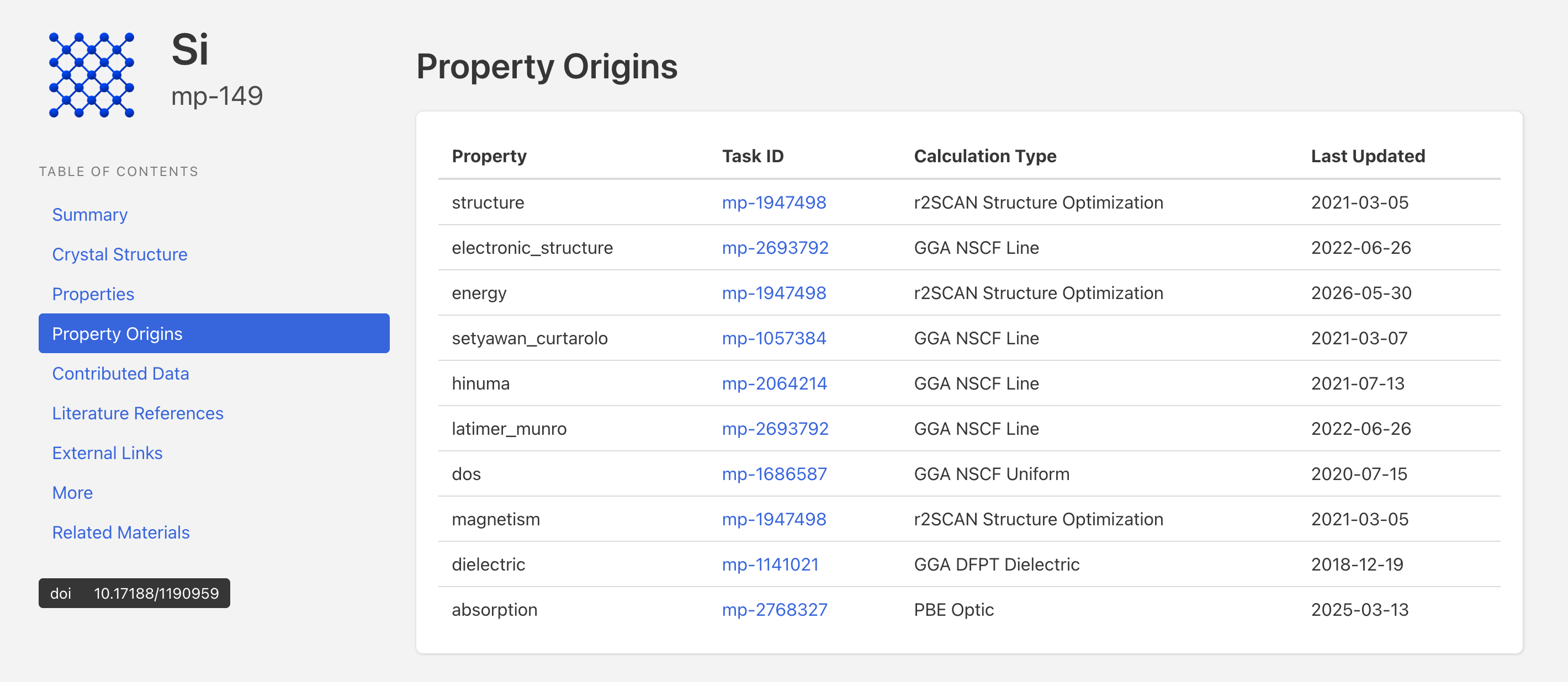
2 Likes
Oh, I see it on the website.
Thank you!
1 Like