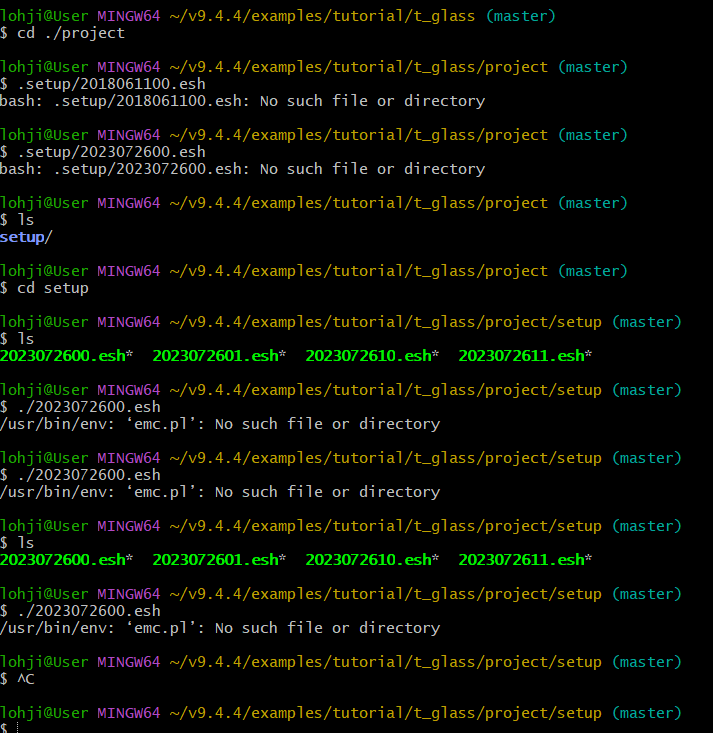
Hi everyone! I am new to EMC and I came across a tutorial video on finding glass transition temperature via EMC on LAMMPS website and I decided to give it a try. I ran the codes on Windows 11, via Bash, and I came across this issue.
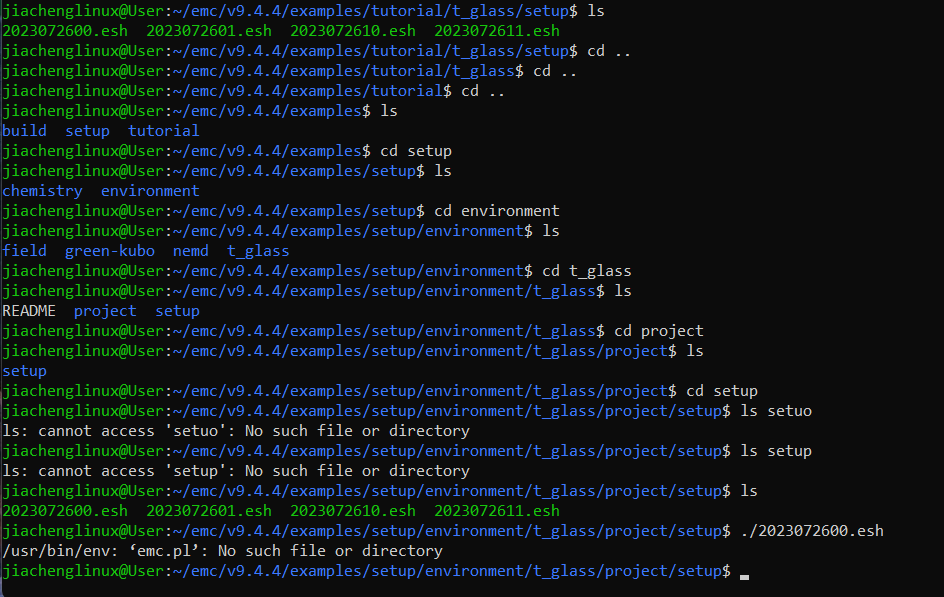
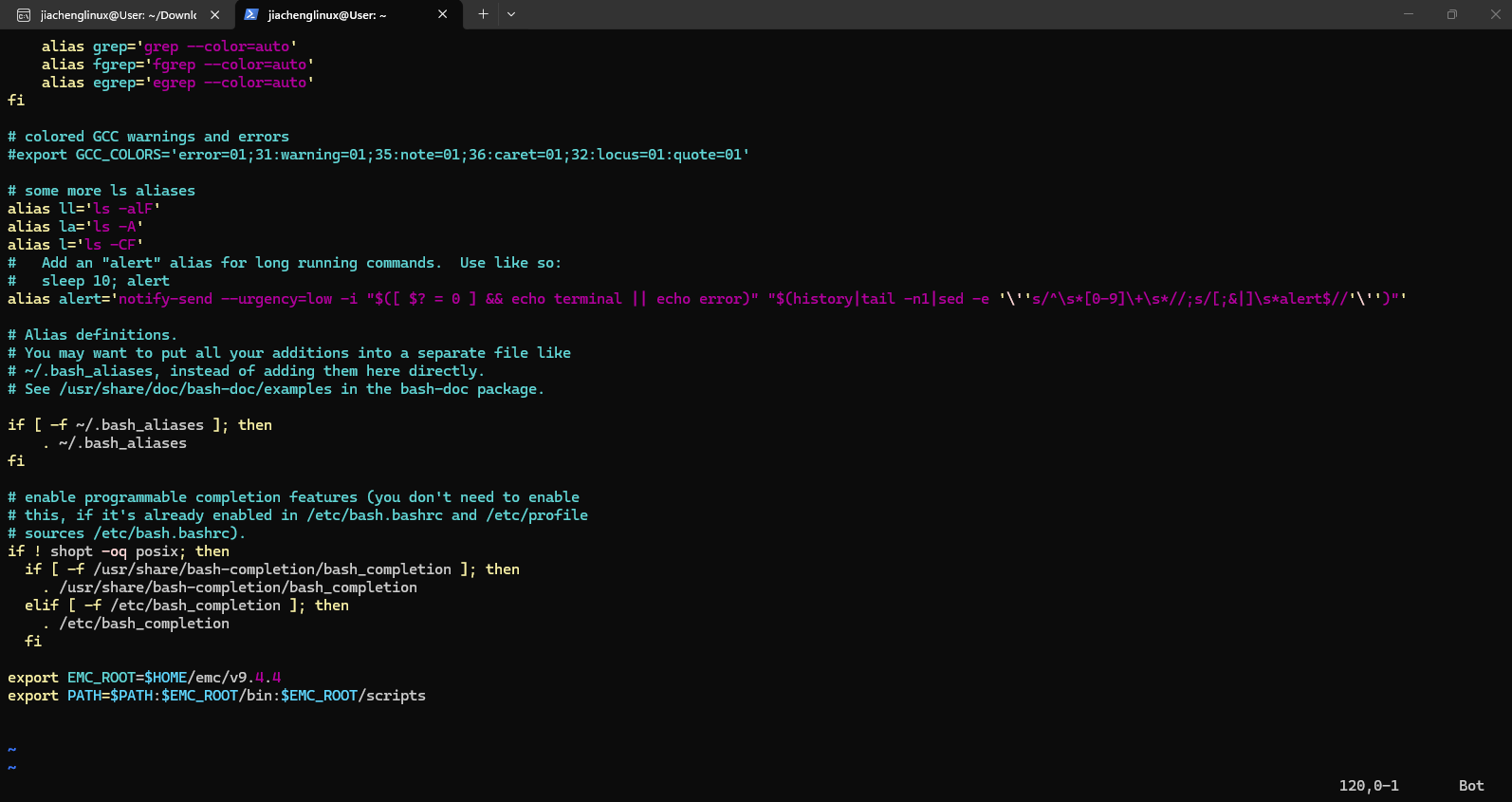
Thank you very much for your kind reply. I followed the steps of adding the path but I still face issues with emc.pl: No such file or directory (as attached in the photo below).
From your first post it shows that your EMC home directory is located in ~/v9.4.4 instead of ~/emc/v9.4.4. You can either change export EMC_ROOT=$HOME/emc/v9.4.4 to export EMC_ROOT=$HOME/v9.4.4 or execute the following
cd ~
mkdir emc
mv v9.4.4 emc
on your command line. I would suggest the latter rather than the former such that your EMC versions are all together in one EMC parent directory.
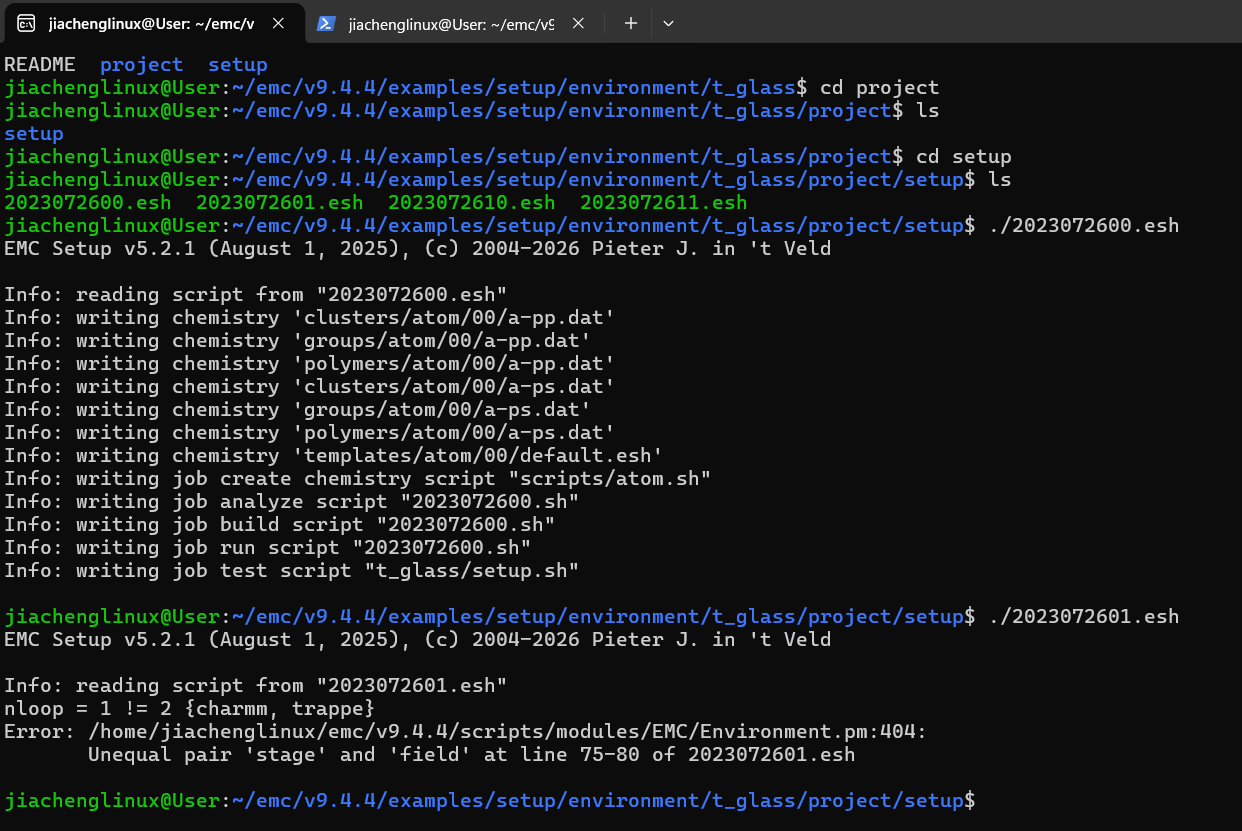
Thank you very much for your kind advice! I’ve adjusted the home directory and I managed to run the 2023072600.esh file. However, I met trouble with 2023072601.esh file and it is mentioning that there is an unequal pair “stage” and “field”. Could you please explain what this error means and how should I do to resolve it?