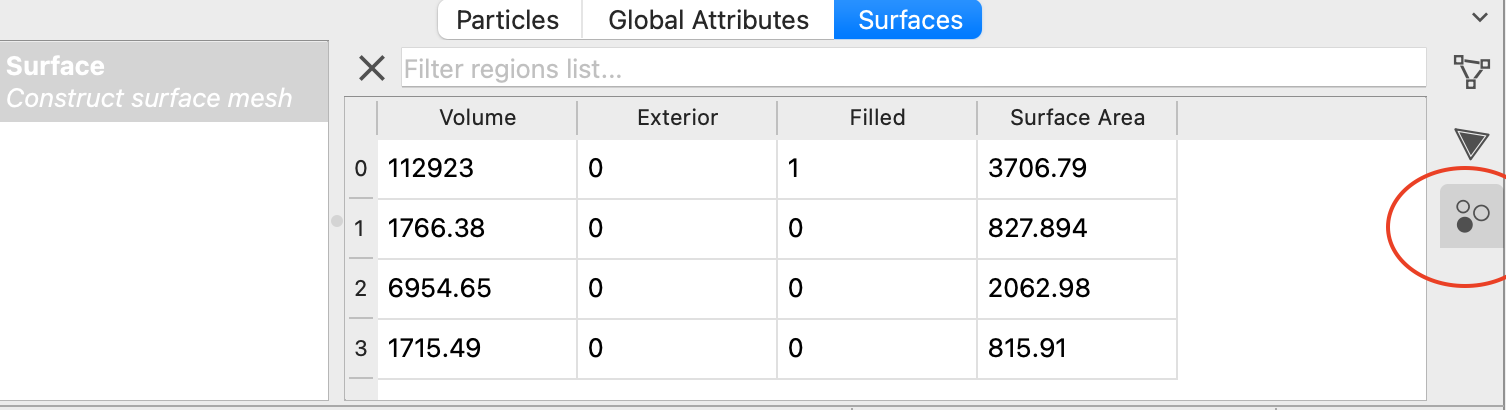
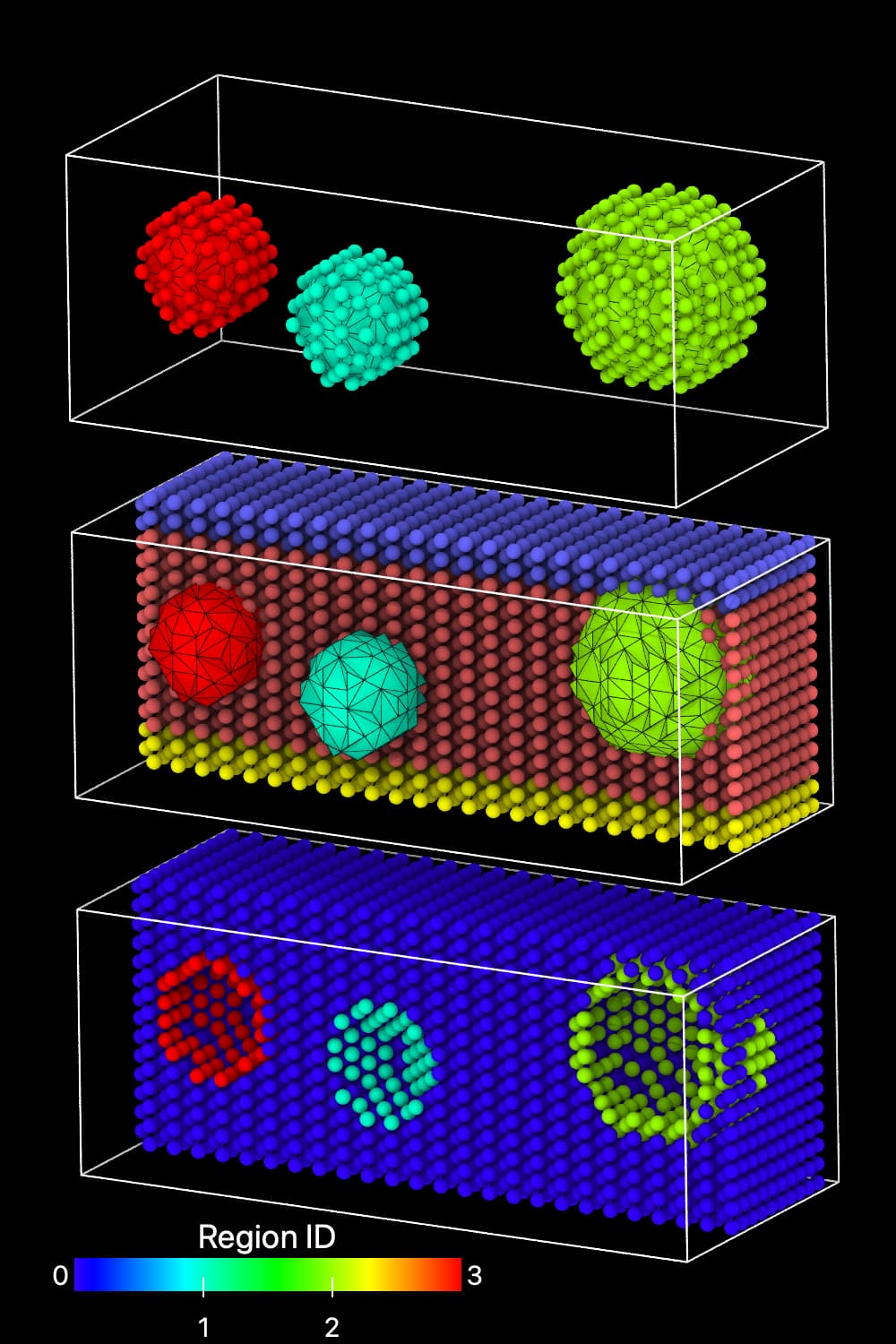
I am using v3.10.6. Is there way within the python API to select the particles on the surface of one or a subset of the regions created by the Construct Surface Mesh modifier with the Identify volumetric regions option selected, rather than all of the regions?
Additionally, how are particles at surfaces mapped when using the Map particles to regions option is selected?
Yes, the corresponding workflow would involve creating a new particle selection for particles that fulfill two conditions: They already have a Selection particle property value of 1 and the Region particle property of your choice (where both properties were generated by the previously applied Construct surface mesh modifier).
For a detailed description please see Construct surface mesh — OVITO User Manual 3.10.6 documentation, especially the paragraph describing the Select particles on the surface option under General options.
Thanks for the response. The problem I’m having is that if I have a porous material, for example, all the particles on the surface and in the bulk belong to the same region (the filled one), so that the Region property can’t distinguish between particles on the surface of one pore vs another.
Ah yes, I understand. That’s right, particles located exactly on the boundary between a filled and an empty region are always attributed to the filled region.
https://www.ovito.org/docs/current/python/modules/ovito_modifiers.html#ovito.modifiers.ConstructSurfaceModifier.map_particles_to_regions
For further explanation: When you use the alpha-shape surface reconstruction method, the surface particles have to be the mesh vertices of the mesh (before any smoothing step).
https://www.ovito.org/docs/current/python/modules/ovito_modifiers.html#ovito.modifiers.ConstructSurfaceModifier.map_particles_to_regions
For your case, I would recommend using the Construct Surface Mesh modifier with the option “Identify volumetric regions” only, to generate the list of regions that are empty or filled. Which mode you use, i.e., the Alpha-shape or Gaussian density method is up to you.
Then, the idea would be to write a Python-based modifier function that assigns particles on the pore/bulk interfaces to the corresponding Region index of the pores, or the ‘empty’ regions. Using the Python API, you can retrieve the mesh faces and subsequently the vertices associated with each empty mesh region. Once you have those vertices, you can search for nearby particles by e.g. using OVITO’s find_at() method from either the NearestNeighborFinder or CutoffNeighborFinder utility classes, and then label those particles with the corresponding Region index.
If you use the alpha-shape method, the positions of the interface atoms will be the mesh vertices of the unsmoothed mesh. For all other cases, you’ll need to define an appropriate cutoff distance for the particle search.
Hope that helps! If you’d like us to send you a complete code solution, please reach out to Pro support.
@kalcher Thank you for the guidance, that is very helpful!
Since the alpha-shape method already identifies which particles are on the surface and can identify regions, I might suggest that in some future release the surface particles be assigned to ‘surface regions’ that are separate from the volumetric regions or be assigned to the empty region they border. With a python modifier they could be easily reassigned to the bulk region as needed, but would be by default linked to regions that clearly associate them with a particular surface.
I can see one potential downside that this would be slightly different behavior than the Gaussian density method, which doesn’t have explicit surface particles, but it could be a nice additional feature that distinguishes the alpha-shape method.
Inspired by your first question, we have expanded the information the alpha-shape method outputs in the upcoming OVITO 3.11 release. Please have a look at the updated documentation of the ConstructSurfaceModifier.map_particles_to_regions option.
I hope the documentation is mostly self-explanatory. But let me know if you have any questions. I think the new extended output should help you achieve your goal.
New development builds of OVITO dev3.11.0 can be found here: OVITO Development Builds — OVITO